


Web Chat to SMS: How to Move Website Chats to Text
Web chat to SMS connects the chat widget on your website to text messaging, so a conversation that starts in a browser can continue on the visitor’s phone. The visitor types a message and leaves a mobile number. You or your AI assistant reply by text, even after they close the tab. For service professionals, that means fewer lost leads, because the reply reaches a device people actually check.
This guide covers how web chat to SMS works, what you need before turning it on, the consent rules that apply in the U.S., and how to set it up without creating a mess in your inbox.
AstreauxKeep New Leads in the ConversationAstreaux uses conversational AI to respond to new leads and support timely follow-ups, helping service professionals manage inquiries beyond the website chat.Book a call
TL;DR
Web chat to SMS turns a website chat into a text thread, so the conversation survives when the visitor leaves your site.
Speed decides who wins: a 2025 Signpost survey of homeowners.pdf) reports that 67% prefer booking a service by texting, and 97% say response time influences their choice.
Collect clear, documented opt-in at the moment the visitor shares a number. Texting without it risks violating the TCPA.
Use a business messaging platform with a shared inbox and carrier registration, not a personal cell phone.
Automate the first reply, then hand off to a human for pricing, scheduling exceptions and anything sensitive.
What web chat to SMS actually means
Two different things get searched under this phrase, and it helps to separate them.
The first is a browser tool for texting from your computer, such as Google Messages for web, which mirrors the messages on your own Android phone. That is personal messaging. It is useful for you, but it is not a lead-handling system.
The second, and the one this article covers, is business web chat to SMS: a widget on your site that captures a visitor’s message and phone number, then moves the exchange to text. The visitor can keep chatting on the page or switch to their phone. Your team sees one thread, whichever channel the visitor uses.
The practical difference matters. Live chat is only good while someone is looking at the page. Text is persistent. A homeowner who asks about a roof estimate at 9 p.m. can get an answer, and can reply tomorrow at lunch, without reopening your site.
Why service businesses move chats to text
Most service leads are shopping several providers at once. The Signpost report cited above puts it plainly: 78% of customers buy from the first company that responds.pdf). Note that this is a homeowner-focused survey from a vendor in the home services space, so treat the exact figures as directional for your own market.
The pattern still holds across the professions we work with:
Contractors get a quote request while on a job site and cannot pick up the phone.
Real estate agents get an inquiry during a showing, and the buyer has already messaged two other agents.
Insurance agents get a quote request that goes cold within hours.
Financial advisors and mortgage brokers need to keep a lead warm for weeks before a first meeting.
A web chat captures the intent. A text keeps it alive. If you want a deeper look at when a text beats a call, see our guide on when texting beats calling for leads.
How the flow works, step by step
The mechanics are simple once you see them in order.
The visitor opens the chat widget and types a question: “Do you service my zip code?”
The widget asks for a mobile number and shows opt-in language next to the field, with a checkbox or clear statement of what the visitor agrees to receive.
The platform records consent: the timestamp, the wording shown, the page and the number.
An instant first reply goes out by text, usually within seconds, acknowledging the question and asking one qualifying question.
The thread continues by SMS. Replies land in a shared inbox, tagged to the contact record in your CRM.
A booking or handoff happens: the lead picks a time slot, or a human takes over for anything the automation should not handle.
The same logic powers form-to-text flows. If your site relies more on contact forms than chat, our walkthrough on how to connect web forms to SMS covers the equivalent setup.
Where the technology sits
Under the hood, a chat widget talks to a messaging platform through an API, and that platform sends the text through a carrier-connected number. Your CRM, calendar and ad platforms sit on the same connection, which is why integrations matter more than the widget design. The idea of joining web chat, SMS and CRM into one customer view is often called omnichannel marketing, and it is the right mental model: one contact, one history, many entry points.

Consent comes first: the U.S. rules
This is the part that most small businesses skip, and the part that can hurt most.
The FCC’s TCPA rules require prior express consent for commercial text messages sent with automated systems. The FCC’s 2012 declaratory ruling on text messages is one of the documents that frames how consent and opt-outs are treated. In that ruling, the FCC confirmed that a single text confirming a person’s request to stop receiving messages does not itself violate the TCPA. The practical reading is that a short opt-out confirmation is fine, but adding marketing to it is not.
What to build into your flow:
Clear disclosure next to the phone number field. Say who will text, roughly how often, and that the visitor can reply STOP.
No pre-checked consent boxes. The visitor should take an action.
Stored proof. Keep the timestamp, the wording and the source page for every number.
Honor opt-outs fast. The FCC set an effective date of April 11, 2025 for its rules on revoking consent. A law firm summary notes the FCC granted a limited waiver delaying part of those rules until April 11, 2026. Rules like these change, so confirm the current status with your attorney.
If you want to go further, a double opt-in, where the visitor confirms by replying to a first text, produces cleaner records. We explain the trade-offs in our SMS double opt-in compliance guide, and the wider picture in our TCPA compliance guide for SMS.
A note on legal advice: this article is education, not legal advice. If you send texts for a regulated business such as insurance, mortgage lending or financial advice, ask a communications or compliance attorney to review your opt-in wording and your state’s rules before launch.
Carrier registration and your sending number
Carriers in the U.S. expect business texts to come from registered numbers. For example, Zoom’s support documentation explains that 10DLC campaign registration is required by U.S. and Canadian carriers for business-to-consumer messaging. The exact process differs by platform, but expect to provide your business name, use case and sample messages. Registration can take time, so start it before you plan to go live.
Texting leads from your personal cell phone is the other common mistake. An FTC staff report on the mobile marketplace, Beyond Voice, shows how central texting has become to consumer communication. That is exactly why a business needs a system with a shared inbox, opt-out handling and records. A personal phone has none of those, and the thread leaves with the employee who owns it.
What to look for in a web chat to SMS setup
Widgets look alike. The differences show up after launch. Use these criteria:
Criterion | What good looks like | Why it matters |
|---|---|---|
Opt-in capture | Disclosure and consent stored per contact | Proof if consent is ever questioned |
Reply speed | First response in seconds, any hour | Early responders win more of the jobs |
Shared inbox | One thread per contact for the whole team | No dropped handoffs |
Voice and tone | Replies sound like you, not a template | Leads trust a message that reads like a person |
Integrations | CRM, calendar, ad platforms | Leads arrive in the right pipeline stage |
Scheduling | Booking inside the thread | Fewer back-and-forth messages and no-shows |
Opt-out handling | STOP works instantly across channels | Compliance and reputation |
Alternatives fall into three types. Live chat tools are good for support, but they stop when the visitor leaves. General bulk texting platforms send messages well but usually need you to build the lead workflow yourself. AI lead management platforms combine capture, instant reply, qualification and booking. Which fits depends on how many leads you get and how many hours you can spend in an inbox.
Our perspective
We built Astreaux for people who sell their time: agents, contractors, advisors, therapists. They are rarely at a desk when the lead arrives. The common failure we see is not a bad pitch. It is a slow first reply.
Here is what we believe about web chat to SMS:
The first reply is the product. If a visitor waits an hour, the chat widget did nothing but collect a number. So we focus on instant engagement: the lead gets a personal, relevant text right away, then the conversation moves toward a booking.
Generic replies lose to personal ones. Most automation sounds like automation. Astreaux learns the voice of each business, so replies read like they came from you. A message that sounds like a person gets answered.
Automation should hand off, not hide. The AI handles the repetitive early steps: acknowledging, qualifying, offering times. You step in when a lead is ready to talk price or has a question only you can answer.
Connections beat features. A text thread that does not reach your CRM creates double entry. Astreaux integrates with over 7,000 apps, so leads, tags and appointments land where your team already works.
Compliance is part of the design. Consent capture, opt-outs and records are not extras. If a tool makes them hard, it is the wrong tool.
— Jamaal
Setting it up: a practical checklist
Use this order. It avoids the rework we see most often.
Pick your goal. Is it booked estimates, showings, consultations or quote follow-ups? One goal makes the first message obvious.
Choose a business number and register it with the carriers through your platform.
Write the opt-in language and place it beside the phone field. Have your attorney review it if you are in a regulated field.
Draft the first reply. Keep it under three sentences and ask one question. Example: “Hi {{firstName}}, thanks for reaching out to {{businessName}}. Are you looking to get an estimate this week or just exploring options? Reply STOP to opt out.”
Connect your CRM and calendar so new leads get tagged and bookings appear without manual entry.
Set handoff rules. Decide which keywords or questions notify a human right away: pricing disputes, urgent jobs, complaints.
Test with your own number. Submit the widget, read the text, reply STOP, and confirm it holds.
Watch the first 20 conversations and edit the replies that feel off.
For message wording you can adapt, see our SMS lead follow-up templates. For the principles behind a fast first touch, read our piece on instant lead response with consent.
Mistakes that cost leads
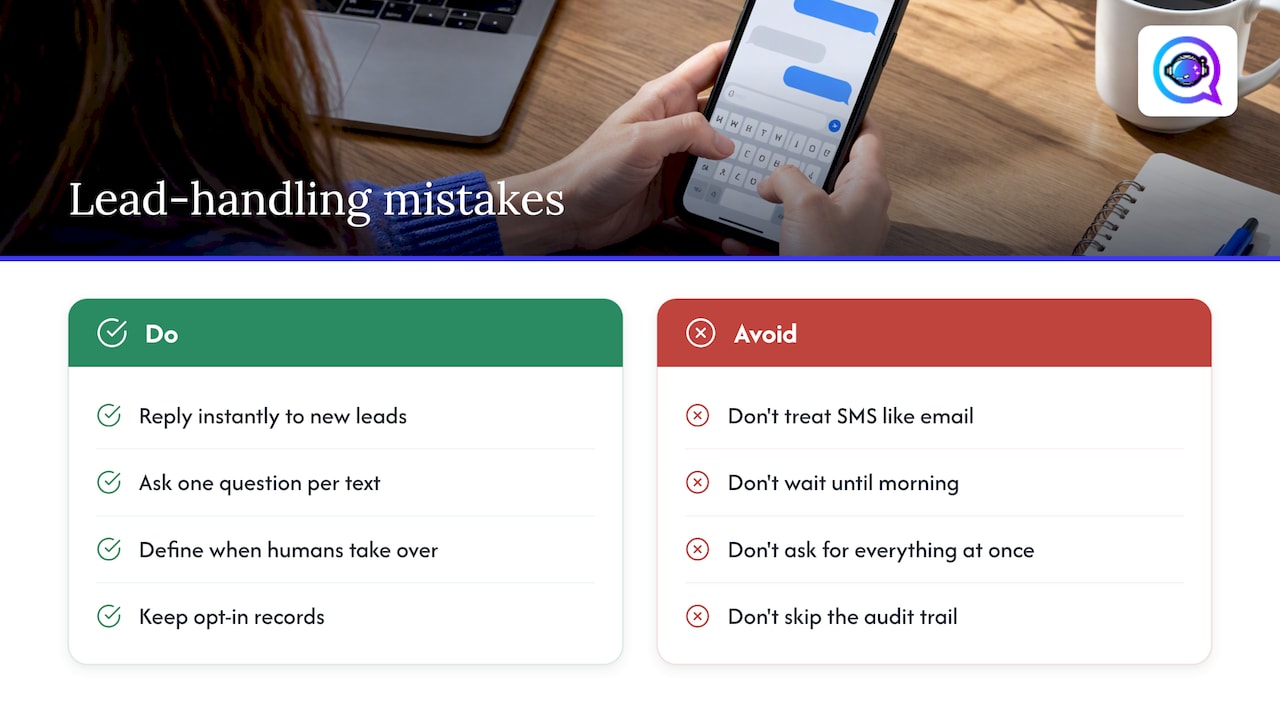
Treating SMS like email. Texts are shorter, more immediate and more personal. Long, formatted messages feel like spam. Our comparison of SMS and email for leads shows where each channel fits.
Ignoring after-hours chats. Many service inquiries arrive in the evening. If the first reply waits until morning, a competitor with automation has already booked the job.
Asking too much too soon. Requesting an address, budget, timeline and email in one message makes people drop off. One question per text works better.
No human fallback. Automation that cannot hand off creates frustrated leads. Define when a person takes over.
Skipping the audit trail. If you cannot show when and how a number opted in, you cannot defend the text. An FTC research paper on the lead marketing ecosystem found that 86% of the SMS messages it sampled had no opt-out language, which is the habit you want to be the opposite of.
Measuring whether it works
Track a few numbers weekly, not a dashboard full of them:
Time to first reply. Your target should be seconds for the automated message.
Chat-to-number rate. Of visitors who start a chat, how many share a phone number?
Reply rate. How many leads answer the first text?
Booking rate. How many replies become appointments?
No-show rate. Reminders by text should push this down over time.
Opt-out rate. A rising rate means your messages are too frequent or too generic.
Run small A/B tests on one variable at a time: the opening line, or whether you ask a question or offer a time slot. Give each test enough conversations before you decide.
How Astreaux handles web chat to SMS
If you want the whole flow without stitching tools together, Astreaux is built for it. It replies to new leads instantly, learns your business voice, qualifies prospects, books appointments and keeps nurturing leads who are not ready yet. It connects to your CRM and ad platforms, and supports bulk SMS campaigns when you need them.
You can see how it works for your type of business at Astreaux, and book a demo or start a trial from there.
FAQ
Can I send an SMS using my web browser?
Yes. Personal tools like Google Messages for web mirror your own phone’s texts on a computer. For business use, a messaging platform lets your whole team text from a browser through a registered business number, with a shared inbox and stored consent records.
How do I switch a conversation from chat to SMS?
Add a mobile number field to your chat widget, with opt-in language beside it. Once the visitor agrees, your platform sends the first text and keeps the thread going by SMS. The visitor can leave your site and continue on their phone.
Do I need permission before texting a website visitor?
For commercial texts sent with automated systems, the TCPA requires prior express consent. Collect it with clear disclosure at the point of capture, and store the record. Ask an attorney to review your wording, especially in insurance, lending and financial services.
Can I text from my personal phone instead?
You can, but you should not for lead handling. A personal phone has no shared inbox, no consent log and no reliable opt-out handling, and the conversations leave with the phone’s owner. A business platform fixes all three.
Sources
What Do Homeowners Really Think About Texting Businesses? (Signpost).pdf)
FCC declaratory ruling on text message opt-out confirmations (2012)
FCC: TCPA rules revoking consent for robocalls and robotexts
Nixon Peabody: FCC partially delays new TCPA consent revocation rules
FTC staff report: Beyond Voice, Mapping the Mobile Marketplace
FTC: Understanding Data Collection, Brokerage, and Spam in the Lead Marketing Ecosystem


