Lead Source Tracking: Capture, Store, and Act on Every Lead
Effective lead source tracking starts with one action: capture the first-touch channel at the exact moment a prospect converts, write it server-side into your CRM as a locked Original Source field, and sync closed-won revenue back to GA4, so every budget decision rests on actual customer value, not session counts. Do that, and you have the foundation for every attribution decision downstream.
Quick-start checklist:
Add UTM parameter capture plus hidden form fields to every conversion surface (forms, chat, calendar, phone)
Create Original Source (read-only) and Latest Source (system-editable) fields in your CRM and populate them at record creation
Run a 2-week QA audit to confirm source values persist all the way to Closed Won, then fix any gaps before scaling
Key Takeaways
Effective lead source tracking requires capturing the conversion moment server-side, locking Original Source in your CRM, and syncing closed-won revenue back to analytics for accurate, channel-level budget decisions.
Point | Details |
|---|---|
Capture at conversion | Write Original Source server-side at form submit so cookie loss or browser restrictions cannot erase it. |
Two-field CRM model | Use Original Source (read-only) and Latest Source (system-editable) to preserve attribution while tracking re-engagement. |
Close the loop | Sync closed-won revenue back to GA4 so campaigns are evaluated by customer value, not just lead volume. |
Layer your capture | Cover forms, chat, calendar, and phone; each surface needs its own source-capture mechanism. |
Astreaux for follow-up | Astreaux reads source context from the CRM record and triggers instant, personalized replies that convert tracked leads into booked appointments. |
What is lead source tracking, and why does the moment of conversion matter?
Lead source tracking captures the conversion moment that lets teams identify which channels actually create demand and therefore where to allocate budget. The definition is precise: a lead source is the channel or touchpoint tied to the first active engagement that caused a lead record to be created. Not the first time someone saw your brand, but the moment they acted.
That distinction matters operationally. A prospect might see a display ad on Monday, read a blog post on Wednesday, and click a paid search ad on Friday before filling out a contact form. The display ad is brand exposure. The form click on Friday is the conversion moment, and that is what you record as Original Source.
According to Zendesk, a lead source is the specific channel or touchpoint tied to first contact that causes a lead to enter your funnel. Tracking it in your CRM lets sales personalize outreach and gives marketing a defensible way to measure ROI. Without that anchor point, every downstream report is built on shifting sand.
How do you capture lead source reliably at the moment of conversion?
Reliable capture requires layering multiple methods so that if one fails, another catches the signal. Capture first-touch and latest-touch separately, preserve Original Source at record creation, and use layered capture across forms, chat, calendar, and phone so source survives cross-channel journeys.
UTM conventions and sample tracking URLs
Enforce a consistent UTM taxonomy across every team and every platform. A sample set of tracking URLs:
Paid search:
https://yourdomain.com/landing?utm_source=google&utm_medium=cpc&utm_campaign=spring-promo&utm_content=ad-variant-aEmail campaign:
https://yourdomain.com/offer?utm_source=newsletter&utm_medium=email&utm_campaign=april-nurturePartner referral:
https://yourdomain.com/partner?utm_source=partnersite&utm_medium=referral&utm_campaign=co-marketing-q2
Use a shared UTM builder spreadsheet or a tool like Google’s Campaign URL Builder so naming conventions stay consistent. Inconsistent naming (e.g., “Google” vs. “google” vs. “Google Ads”) creates separate source buckets in your reports and inflates the apparent number of channels.
Hidden form fields and cookie persistence
When a visitor lands on your site, read the UTM parameters from the URL and store them in a first-party cookie or session storage immediately. On form submit, write those stored values into hidden fields so they travel with the form payload. The pattern:
Page loads → JavaScript reads
utm_source,utm_medium,utm_campaign,utm_content,utm_term, andgclidfrom the URL.Values are written to a first-party cookie with a 30-day expiry (or session storage for shorter journeys).
On form submit, hidden fields are populated from the cookie/session store and submitted with the form.
Server receives the full payload including source fields.
Server-side persistence
Write source data server-side at the moment of form submission. Client-side JavaScript can be blocked, cookies can be deleted, and browser privacy settings strip referrers. A server-side endpoint that receives the form payload and immediately writes Original Source into the CRM record is the most durable pattern. This approach survives Intelligent Tracking Prevention (ITP) in Safari and similar restrictions in Firefox.
Phone and offline tracking
Use a dynamic call-tracking platform that assigns a unique phone number per campaign or per channel. When a call comes in, the platform logs the number dialed, maps it to the campaign ID, and writes a call record into the CRM. For print and radio, assign a unique landing page URL or coupon code to each placement. QR codes should redirect to a UTM-tagged URL, not a bare domain, so the source is captured on arrival.
For storage businesses and other niche verticals, improving lead capture on your website starts with ensuring every inbound path, including phone and QR, carries a trackable identifier before the visitor reaches a conversion surface.
Chat and calendar bookings
Configure your chat widget and calendar booking tool to read the page’s UTM parameters and referrer at session start and pass them as metadata on the lead record. Most modern chat platforms support custom fields; populate them with utm_source, utm_medium, and utm_campaign so every chat lead carries source context.

Pro Tip: For long sales cycles where a prospect might return weeks later from a different device, store Original Source server-side at first conversion and never overwrite it. Use Latest Source to track re-engagement. Cross-device stitching via logged-in user identity or CRM-matched email is the most reliable method when probabilistic matching is not available.
How do you store lead source data in your CRM?
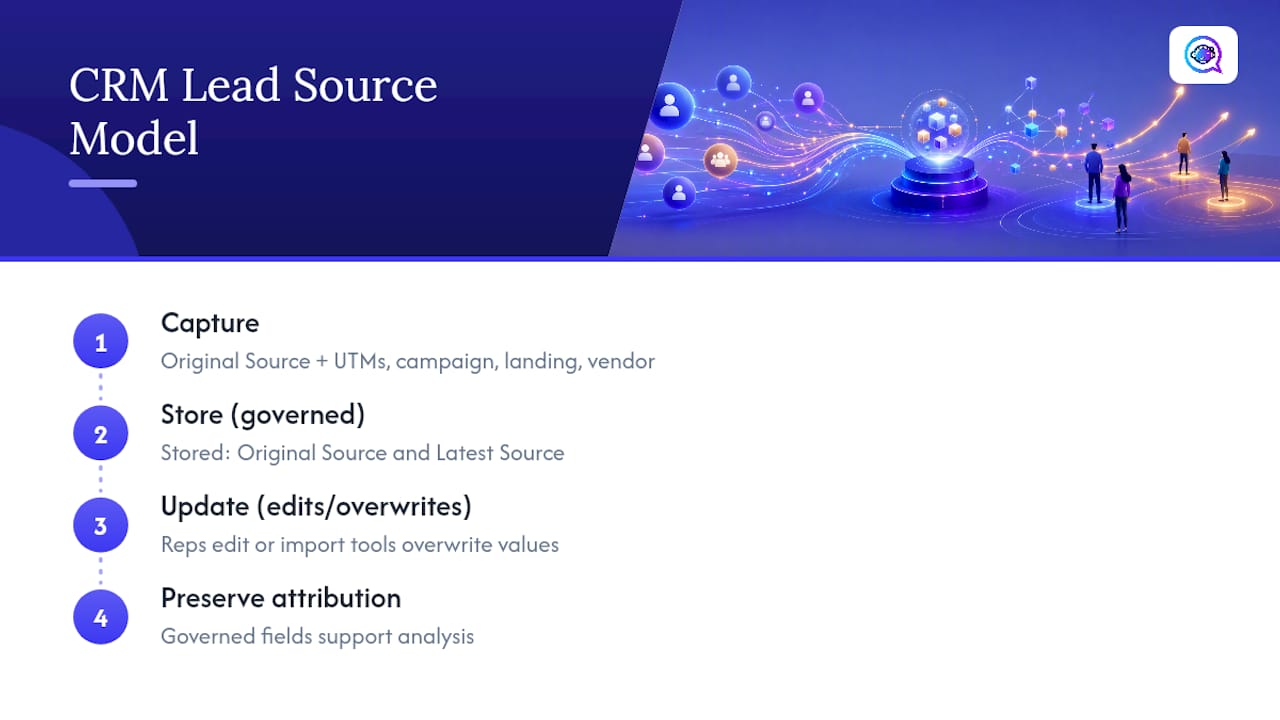
Capture is only half the problem. If source data is not stored in a structured, governed way, it degrades within weeks as reps edit fields or import tools overwrite values. Implement two core CRM fields, Original Source and Latest Source, plus detail fields for UTMs, campaign, landing page, and vendor name to preserve attribution and support analysis.
Recommended CRM field template
Field Name | Type | Write Rule | Example Value |
|---|---|---|---|
Original Source | Picklist | Write once at record creation; read-only after | Paid Search |
Latest Source | Picklist | System-editable on re-engagement; never by reps | |
UTM Source | Text | Populated at capture; read-only | |
UTM Medium | Text | Populated at capture; read-only | cpc |
UTM Campaign | Text | Populated at capture; read-only | spring-promo |
Landing Page | URL | Captured at conversion | /landing/spring-promo |
Vendor / Partner Name | Text | Populated from referral data | PartnerSite Inc. |
Call ID / Phone Token | Text | Populated by call-tracking platform | CT-00482 |
Picklist values for Original Source
Keep the picklist small and controlled. Suggested values: Organic Search, Paid Search, Paid Social, Email, Partner/Referral, Event, Direct/Offline, Phone. Avoid free-text entry for this field; it creates hundreds of variations that require cleanup scripts to normalize.
Workflow and governance rules
The workflow is: capture → persist in cookie/session → server-side write at form submit → CRM record created with Original Source locked → Latest Source updated on any subsequent re-engagement → both fields propagated to the associated Opportunity or Deal record.
Lock Original Source at the field level in your CRM (Salesforce field-level security, HubSpot property permissions, or equivalent). Run a monthly normalization script to catch any values that slipped through with inconsistent casing or spelling. Schedule quarterly deduplication checks to merge records where the same contact entered the funnel twice from different sources, and decide in advance which record’s Original Source wins.
Which attribution model should you use?
Attribution models determine how credit for a conversion is distributed across the touchpoints that preceded it. The right model depends on what you are trying to measure.
Use this when you want to understand which channels generate demand and build pipeline. It tends to favor top-of-funnel channels like organic search and paid social.
Use this when you want to optimize for closing, not for awareness. It tends to favor bottom-of-funnel channels like branded paid search and direct.
Multi-touch attribution distributes credit across all touchpoints in the journey. Linear multi-touch gives equal weight to every touchpoint. Time-decay variants weight recent touchpoints more heavily. Position-based (U-shaped) models give more credit to the first and last touches, with the remainder split across the middle.
Weighted models let you assign custom percentages.
Decision criteria:
Short sales cycle (under 2 weeks): last-touch is often sufficient.
Long sales cycle (60+ days, multiple stakeholders): multi-touch or weighted models give a more accurate picture.
Budget allocation decisions: first-touch or position-based models show which channels start conversations.
Closing optimization: last-touch shows which channels finish them.
One critical warning: if your Latest Source field overwrites Original Source anywhere in your workflow, multi-touch reporting becomes unreliable. Keep the two fields strictly separate, and never let a re-engagement event touch the Original Source value.
What KPIs should you track by lead source?
Measuring leads by volume alone tells you almost nothing useful. The metrics that drive decisions are the ones that connect source to revenue.
Core KPIs by source:
Leads by source (volume)
Conversion rate by source (lead to MQL, MQL to SQL, SQL to Closed Won)
Cost per lead (CPL) by source
Cost per acquired customer (CAC) by source
SQL rate by source
Win rate by source
Average deal size by source
Lifetime value (LTV) by source
Time to close by source
Revenue per lead by source
Closed-loop tracking requires pushing GA4 traffic-source data into the CRM when a lead is created and returning closed-deal revenue to analytics so campaigns are evaluated by actual customer value. Without that return sync, your analytics platform shows cost and clicks but never knows which clicks became paying customers.
Sample source performance report layout
Source | Leads | Conversion Rate | CPL | Revenue |
|---|---|---|---|---|
Organic Search | 210 | 18% | $0 | $84,000 |
Paid Search | 140 | 22% | $65 | $61,600 |
Paid Social | 95 | 11% | $48 | $20,900 |
Partner/Referral | 60 | 31% | $0 | $37,200 |
80 | 19% | $12 | $30,400 |
Run this report weekly for operational checks, monthly for performance reviews, and quarterly when making budget reallocation decisions. The cohort analysis version (source → revenue, segmented by the month the lead was created) is particularly useful for long sales cycles where revenue lags lead creation by 60 or more days.
Which tools support lead source tracking across your funnel?
No single tool covers every layer. A complete tracking stack typically combines four to five categories.
Tool categories and their roles:
Analytics platforms (GA4): Capture session-level traffic source data, attribute pageviews and events to channels, and receive closed-deal revenue via the Measurement Protocol or a server-side sync.
CRM and marketing automation: Store lead-level source fields, enforce field-locking rules, trigger source-aware nurture sequences, and report on pipeline by source.
Call-tracking platforms: Assign dynamic phone numbers per campaign, log call records with campaign IDs, and push call data into the CRM as a conversion event.
Chat and calendar widgets: Capture referrer and UTM parameters at session start and pass them as lead metadata.
Server-side capture and attribution layers: Receive form payloads server-side, write source fields to the CRM immediately, and handle fallback inference when UTMs are absent.
Identity and enrichment vendors: Match anonymous visitors to known contacts using email, IP, or device fingerprint to support cross-device stitching.
Integration patterns to implement:
GA4 → CRM: push traffic source data (source, medium, campaign) into the CRM at lead creation via a server-side event or a webhook from your form handler.
Dynamic phone number → call record → CRM: call-tracking platform fires a webhook on call completion; your CRM creates or updates the lead record with Call ID and source.
Server-side UTM write: form submit triggers a server-side function that reads UTM parameters from the payload and writes them directly to the CRM record.
Closed-won revenue sync: CRM fires a webhook when a deal moves to Closed Won; your analytics platform receives the revenue event tied to the original GA4 client ID.
Zendesk is a common CRM integration target for teams that use it for both sales and support; its lead source fields can be populated via API at record creation using the same server-side write pattern described above.
Integration validation checklist:
Confirm UTM values carry through from landing page to CRM field on a test lead
Verify phone token maps correctly to campaign ID in a test call
Confirm Closed Won revenue appears in GA4 within 24 hours of deal closure
Check that Original Source is locked and cannot be edited by a rep in the CRM UI
What are the most common lead-source tracking problems, and how do you fix them?
Most tracking failures fall into a short list of root causes. Diagnose them in order.
Excessive “Direct” traffic in reports. Cause: UTMs are missing on internal links, email links, or partner links. Fix: audit every outbound link in your email platform, ad accounts, and partner agreements; enforce UTM tagging as a publishing requirement.
Source values overwritten after record creation. Cause: reps or import tools are editing Original Source. Fix: lock the field at the CRM permission level; use a separate Latest Source field for re-engagement updates.
Missing UTMs on paid campaigns. Cause: auto-tagging is disabled or a redirect strips parameters. Fix: enable auto-tagging in Google Ads (GCLID); use a redirect checker to confirm parameters survive every redirect hop.
Cross-device attribution loss. Cause: a user starts on mobile and converts on desktop; cookie-based tracking cannot connect the sessions. Fix: use server-side capture tied to a logged-in user identity or email match; store Original Source at first conversion and never overwrite it.
Bot traffic inflating lead counts. Cause: form submissions from bots or click farms. Fix: implement CAPTCHA or honeypot fields on forms; add a bot-detection layer (reCAPTCHA v3 or equivalent) and filter known bot IPs from your CRM import.
Broken redirect chains stripping UTMs. Cause: a 301 redirect passes through a platform that drops query parameters. Fix: test every redirect with a parameter-preserving checker; use server-side redirects that explicitly forward query strings.
URL stripping by intermediaries (email clients, social platforms). Cause: some email clients or social platforms strip UTM parameters before the click reaches your server. Fix: use short, clean UTM-tagged URLs and test click behavior in each platform; consider server-side parameter injection as a fallback.
Privacy and cookie limitations. Safari’s ITP and Firefox’s Enhanced Tracking Protection shorten or block third-party cookies. Fix: store source data in first-party cookies or server-side session stores; write Original Source to the CRM at the moment of conversion so it is never dependent on a cookie surviving future visits.
Step-by-step implementation checklist for lead source tracking
A realistic rollout for a team with moderate technical resources takes 6 to 8 weeks. Here is the ordered plan.
Week 1: Define source taxonomy. Agree on the picklist values for Original Source and Latest Source. Document naming conventions for UTM parameters (lowercase, hyphens not underscores, consistent campaign naming). Get sign-off from marketing, sales, and RevOps.
Week 2: Implement UTM conventions. Update all active ad campaigns, email links, and partner links to use the agreed UTM structure. Build a shared UTM builder tool (a spreadsheet or a simple internal form) so every team member generates consistent tags.
Week 3: Add hidden fields and cookie persistence. Deploy the JavaScript snippet that reads UTMs from the URL on page load, stores them in a first-party cookie, and populates hidden fields on every form. Test across Chrome, Safari, and Firefox.
Week 4: Server-side write on submit. Build or configure the server-side endpoint that receives form payloads and writes Original Source, UTM fields, and Landing Page into the CRM at record creation. Lock Original Source immediately after write.
Week 5: CRM field creation and locking. Create all recommended fields (Original Source, Latest Source, UTM Source, UTM Medium, UTM Campaign, Landing Page, Vendor Name, Call ID). Set field-level permissions so only system processes can write Original Source.
Week 6: Phone and offline path testing. Configure dynamic call-tracking numbers for each active campaign. Test QR code redirects to confirm UTM parameters survive. Verify that call records write correctly to CRM with the right campaign ID.
Week 7: QA and sampling. Submit 10 to 20 test leads across every source type. Confirm each lead’s Original Source field matches the expected value. Check that Closed Won revenue syncs back to GA4 on a test deal.
Week 8: Pilot and scale. Run the full system in parallel with your existing tracking for two weeks. Compare source distributions between old and new systems. Resolve discrepancies, then cut over fully.
Cost considerations: Engineering hours for server-side capture typically run 20 to 40 hours for a mid-complexity stack. Call-tracking platform subscriptions vary by call volume.
Stakeholder roles: Marketing owns the source taxonomy and UTM conventions. Engineering implements server-side persistence and integration endpoints. Sales enforces the read-only policy on Original Source in daily workflow. RevOps owns reporting, normalization scripts, and the closed-loop revenue sync.
Standardize source naming and validate leads before they enter the CRM using an intake control layer to keep reporting trustworthy and minimize cleanup work downstream.
How an AI platform like Astreaux preserves source data and speeds follow-up
The implementation steps above describe what to build. Here is what the workflow looks like when it runs in production with an AI lead management platform handling the follow-up layer.
Workflow example:
A visitor clicks a UTM-tagged paid search ad and lands on your service page.
On page load, JavaScript reads
utm_source=google,utm_medium=cpc,utm_campaign=spring-promoand stores them in a first-party cookie.The visitor fills out a contact form. On submit, hidden fields carry the UTM values to the server.
The server-side endpoint writes a new CRM record with Original Source = “Paid Search,” UTM Campaign = “spring-promo,” and Landing Page = “/spring-promo.”
Original Source is locked immediately. The record is created.
Astreaux detects the new lead and triggers an instant, personalized reply within seconds, referencing the campaign context so the message feels relevant rather than generic.
The prospect books a call. The booking event is logged against the same CRM record, preserving the Original Source chain.
When the deal closes, a webhook fires and sends the revenue event back to GA4, tied to the original campaign.
Practical benefits of this pattern:
Response time drops from hours to seconds, which matters most for high-intent sources like paid search where prospects are evaluating multiple options simultaneously.
Source fidelity is preserved even if the prospect deletes cookies before the follow-up call, because Original Source was written server-side at the moment of form submission.
Attribution is accurate at the deal level, not just the session level, so your paid search campaign gets credit for the revenue it actually generated.
The best lead routing software can use Original Source as a routing signal, sending paid search leads to your fastest closers and partner referrals to relationship-focused reps.
For contractors, real estate agents, and other service professionals, this pattern means that a prospect who clicked a Google ad at 9 PM gets a personalized reply at 9 PM, not at 9 AM the next morning when a competitor has already booked the appointment.
Measurement is an operational discipline, not a one-time project
Most teams treat lead source tracking as a setup task. They implement UTMs, create the CRM fields, and move on.
The teams that maintain clean attribution data treat it the way they treat financial reporting: as an ongoing operational responsibility with clear owners, regular audits, and consequences for non-compliance. Source accuracy belongs in weekly standups, not just quarterly reviews. When a rep asks why a lead is marked “Organic Search” and wants to change it to “Referral,” that conversation should happen in a structured data-correction process, not through a direct field edit.
The read-only policy on Original Source is not bureaucracy. It is the mechanism that makes every downstream report trustworthy. Reward the behavior that keeps data clean: recognize reps who flag data issues rather than quietly editing fields, and make source accuracy a shared metric between marketing and sales rather than a marketing-only concern. When both teams own the data, both teams benefit from its accuracy.
Astreaux turns source-aware leads into booked appointments
When your tracking infrastructure is in place, the next constraint is response speed. A lead that waits hours for a reply converts at a fraction of the rate of one that hears back in minutes, regardless of which channel it came from.

Astreaux is built for service professionals who need instant, personalized engagement the moment a lead enters the CRM. The platform reads Original Source and campaign context from the lead record and uses that information to craft a reply that feels specific, not templated. Real estate agents, contractors, therapists, and mortgage brokers use Astreaux to turn source-tracked leads into booked appointments without manual follow-up. With integrations across more than 7,000 apps, it connects directly to the CRM fields and analytics pipelines you just built. Start a free trial at Astreaux and see how fast your tracked leads move when the follow-up is instant.
Sources
FAQ
What is lead source tracking?
Lead source tracking is the practice of recording which channel or touchpoint caused a prospect to enter your sales funnel at the moment of conversion. It lets marketing teams identify which channels produce revenue, not just traffic, and allocate budget accordingly.
What is a lead tracking system?
A lead tracking system is the combination of CRM fields, analytics integrations, and capture mechanisms (UTMs, hidden form fields, call-tracking numbers) that record where each lead came from and how it progresses through the funnel. It typically includes Original Source and Latest Source fields in the CRM, synced with an analytics platform like GA4.
What is an example of a lead source?
A prospect who clicks a Google Ads link tagged with utm_source=google&utm_medium=cpc and fills out a contact form has a lead source of Paid Search. The UTM parameters captured at that moment are written into the CRM as the Original Source and remain locked for the life of the record.
What is the best way to keep track of leads?
The most reliable method combines server-side UTM capture at form submission, a locked Original Source field in your CRM, layered capture across every conversion surface (forms, chat, phone, calendar), and a closed-loop revenue sync back to your analytics platform. Platforms like Astreaux add instant AI-driven follow-up that uses source context to personalize the first reply, which improves contact-to-booking rates without additional manual effort.