

A2P 10DLC Registration for US Businesses: Step-by-Step
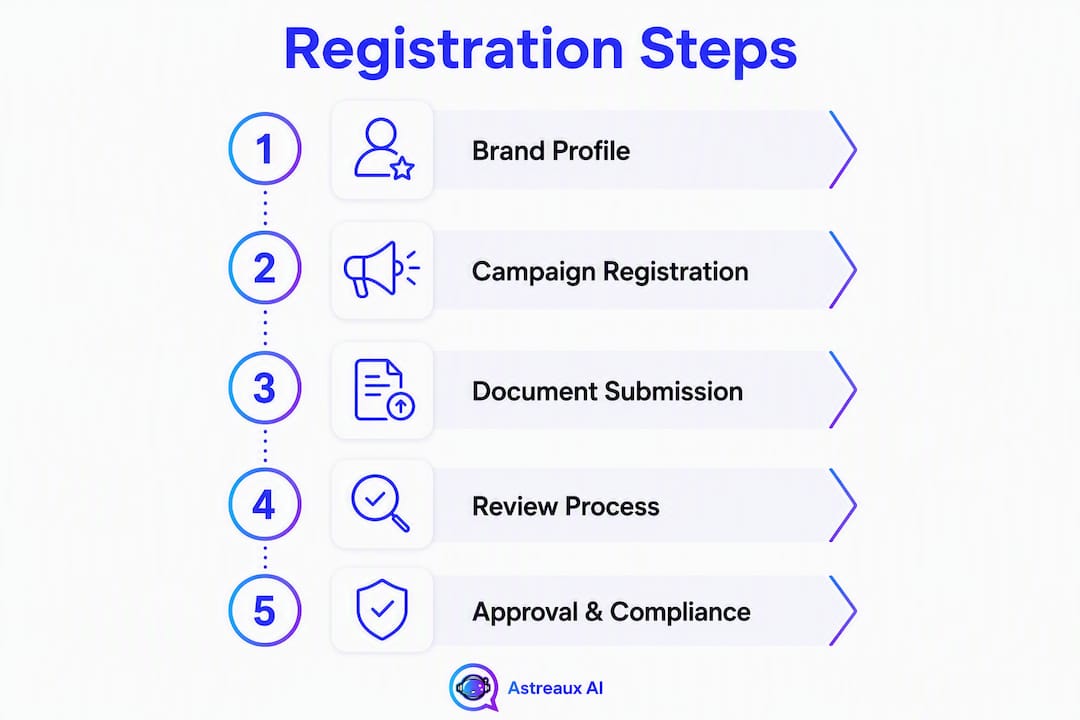
Yes — if your business sends A2P SMS to US recipients from a 10-digit long code, you must register. The process has three high-level steps: register a Brand (your business identity), register a Campaign (your use case and message content), and assign a 10DLC number through your Communications Service Provider (CSP) and map it to that campaign. Skip any step and carriers will throttle or filter your messages.
Who must register:
US-based businesses sending application-to-person (A2P) text messages from a 10-digit long code
Apps and platforms sending transactional, promotional, or notification messages to US recipients
ISVs and resellers sending messages on behalf of their customers
Who is typically exempt:
Senders using toll-free numbers or dedicated short codes (those have separate registration paths)
Genuine peer-to-peer personal messaging (one individual texting another, not application-generated)
Three steps to get registered:
Register a Brand — submit your business profile to The Campaign Registry (TCR)
Register a Campaign — declare your use case, message flow, and sample messages
Assign a 10DLC number through your CSP and map it to the approved campaign
What is A2P 10DLC and why do carriers require it?
A2P 10DLC stands for Application-to-Person messaging over 10-digit long codes. Before this system existed, businesses sent bulk SMS from the same number types individuals use for personal texts, which made it nearly impossible for carriers to distinguish legitimate business messages from spam. The result was aggressive filtering and poor deliverability for everyone.
The Campaign Registry (TCR) is the industry-managed hub that sits between businesses, CSPs like Twilio and SignalWire, and the major US wireless carriers. TCR performs brand identity checks against public databases and third-party verification vendors, then communicates verified status to carriers so they can apply appropriate throughput and filtering rules to your traffic.
Carriers require registration for three concrete reasons: spam reduction through identity verification, throughput control tied to verified use cases, and accountability when message content violates guidelines. For your business, registration translates directly into better deliverability, higher messages-per-second (MPS) throughput, and a significantly lower risk of carrier-level blocking compared with unregistered traffic. Verified traffic is rewarded; unregistered traffic is treated as suspect by default.
Which senders and use cases must register?
Use these four decision checks to determine whether A2P 10DLC registration applies to your operation:
Message origin: Does the message originate from a software application, CRM, or automated platform rather than a person typing manually?
Number type: Are you sending from a US 10-digit long code (a standard 10-digit phone number, not a short code or toll-free number)?
Recipient location: Are your recipients on US wireless carriers?
Message intent: Is the message A2P — transactional, promotional, notification, or any other business-initiated content?
If you answered yes to all four, registration is required.
Common exceptions and edge cases
Toll-free numbers and dedicated short codes operate under separate registration frameworks. Peer-to-peer messaging — where a real person sends a text to another real person without automation — does not require A2P 10DLC registration. One-to-one conversational messages initiated by a human agent (not an application) also fall outside the A2P definition, though the line blurs quickly when a CRM triggers the send.
Notes for ISVs and multi-brand senders
ISVs and resellers face a specific challenge: they often send on behalf of multiple end-customer brands. Each end-customer brand needs its own Brand registration under its own EIN and business identity. You cannot bundle multiple clients under a single Brand registration. Twilio’s collect-business-info documentation details the API parameters for packaging customer data when onboarding multiple brands programmatically. Plan for this overhead early — it affects your project timeline and your clients’ go-live dates.
How to complete A2P 10DLC registration step by step
Follow these steps in order. Skipping ahead or submitting incomplete information is the most common cause of delays.
Prepare your account and identity documents. Gather your EIN (Employer Identification Number), legal business name exactly as it appears on your IRS filing, registered business address, a business contact phone number, a business email address, and the name and mobile number of a company representative who can receive a one-time passcode (OTP) for 2FA verification. Your website must be live before you begin.
Log into your CSP console or API. Both Twilio and SignalWire provide console-based and API-based registration flows. Choose the method that matches your technical setup. If you are using the API, review the Brand and Campaign parameter lists in your CSP’s documentation before submitting — missing a required field via API returns an error that can cost hours.
Register your Brand. Submit your business profile: legal name, EIN, business type, address, website URL, and representative contact details. TCR verifies this information against public databases. When the OTP arrives on your representative’s mobile number, respond immediately — delays in OTP confirmation slow the verification clock. Standard and Low-Volume Standard Brands require an EIN; Sole Proprietor registration is for individuals or businesses without one.
Register your Campaign. Select the use case that most accurately describes your messaging (marketing, customer care, notifications, two-factor authentication, etc.). Write a clear campaign description that matches what your website actually shows. Add your
message_flow(how subscribers opt in) and at least twomessage_samples. At least one sample must include opt-out language such as “Reply STOP to unsubscribe.” Include your business name in every sample.Wait for Brand and Campaign approval. Automated approvals for standard brands can occur within minutes. Manual reviews — triggered by missing documentation or ambiguous business records — typically take up to several weeks. Do not assign numbers until both Brand and Campaign are approved.
Assign your 10DLC numbers through your CSP. In Twilio, this means adding numbers to a Messaging Service and linking that service to your approved campaign. In SignalWire, the process follows a similar pattern in their console. Once the number is mapped to a verified campaign, it inherits that campaign’s throughput and filtering treatment from carriers.
Test before going live. Send test messages to your own numbers. Confirm that STOP and HELP keywords return the correct automated responses. Verify that full HTTPS links render correctly and that your business name appears in every message.
ISV and API onboarding
If you are an ISV onboarding customers programmatically, Twilio’s A2P 10DLC documentation covers how to structure API calls for each customer’s Brand and Campaign registration. Each customer’s data must be submitted under their own identity — you cannot reuse your own EIN for their Brand. Build a data-collection workflow that gathers each client’s EIN, website URL, and opt-in flow details before you initiate their registration.
What data and documents will reviewers expect?
Getting this section right is what separates a first-submission approval from a two-week back-and-forth. Reviewers — both automated systems and human vetting teams — compare every field in your submission against each other and against your public-facing web presence.
Brand registration requirements
EIN: Required for Standard and Low-Volume Standard Brands. Apply for an EIN through the IRS if you do not have one. Sole Proprietor registration accepts individuals without an EIN, but carries lower throughput limits and fewer features — using Sole Proprietor when you have an EIN is a common mistake that restricts your campaign’s performance.
Legal business name: Must match your IRS records exactly, including punctuation and abbreviations.
Registered business address: Physical address on file with the IRS or your state registration.
Business website URL: Must be live and clearly describe what your business does.
Representative name and mobile number: Used for OTP/2FA during Brand verification.
Business contact email and phone number: Must be reachable and associated with the business.
Campaign registration requirements
Campaign description: A plain-language explanation of what messages you send and why. Must align with your website content.
Use case category: Select the closest match from the TCR/CSP list (marketing, notifications, customer care, 2FA, etc.).
Message flow (
message_flow): A written description of how subscribers opt in — for example, “Subscribers enter their phone number on the contact form at https://yourdomain.com/contact and check an unchecked box confirming they agree to receive SMS.”Sample messages (
message_samples): At least two. One must include opt-out language. All must include your business name.Opt-in evidence: Screenshots or a live URL showing the opt-in mechanism.
Website and legal page requirements
Your website must show a live homepage that clearly describes your business, a privacy policy with SMS-specific data-use language and a clause stating you do not share subscriber data with third parties, and Terms of Service accessible from the opt-in form. The opt-in checkbox must be unchecked by default. HELP and STOP keyword handling must be active on your sending number before you go live.

Brand vs. campaign comparison
Dimension | Brand registration | Campaign registration |
|---|---|---|
What you register | Your business identity | A specific messaging use case |
Required data | EIN, legal name, address, website, rep contact | Use case, message flow, sample messages, opt-in proof |
Typical fee | Varies by CSP and brand type; some tiers have a one-time fee (e.g., $4.50 for certain brand types) | Monthly or one-time campaign fee; varies by CSP |
Approval time | Minutes (automated) to up to several weeks (manual) | Minutes (automated) to up to several weeks (manual) |
Throughput impact | Brand tier determines maximum MPS ceiling | Campaign type and use case determine actual MPS allocation |
What do registration fees and timelines actually look like?
Fees
Fees vary by CSP and brand type. Some tiers carry a one-time brand registration fee — for example, Sole Proprietor and Low-Volume Standard brands on some CSPs have been cited at a one-time fee of $4.50, though exact amounts differ by provider. Campaign registration may carry additional monthly or one-time fees depending on your CSP. Always confirm current pricing directly with your provider before budgeting — these figures are updated periodically.
Timelines
Automated approval: Standard brand registrations with clean, matching public records can be approved within minutes.
Manual review: Triggered by missing documentation, ambiguous business records, or use cases that require human vetting. Plan for up to several weeks in these cases.
Common delay causes: OTP not confirmed promptly, EIN not matching public records, website not live at submission time, or campaign description mismatching website content.
Throughput by brand and campaign type
Brand/campaign type | Typical approval time | Throughput (MPS) |
|---|---|---|
Sole Proprietor | Minutes to a few days | Low (carrier-limited) |
Low-Volume Standard | Minutes to a few days | Low to moderate |
Standard | Minutes (automated) or 10–15 days (manual) | Moderate |
Verified / High-Volume | Manual vetting required | High |
Pro Tip: If your messaging volume is growing, register as Standard from the start rather than Sole Proprietor — upgrading later requires re-registration and a new review cycle.
Why do registrations get rejected and how do you fix them?
Most rejections come down to one root cause: the campaign packet is internally inconsistent. Reviewers — and automated cross-field validators like A2PCheck — compare every element of your submission against every other element. A mismatch anywhere triggers a rejection.

Missing or incomplete opt-in evidence Fix: Add a live opt-in page with an unchecked checkbox, a clear consent statement referencing SMS, and a link to your privacy policy. Screenshot the page and include the URL in your submission.
Campaign description mismatches website content Fix: Read your website homepage and write your campaign description to mirror the same services, tone, and audience. If your site says “home renovation estimates” and your campaign says “real estate marketing,” reviewers will reject it.
URL shorteners in sample messages Reviewers treat shortened links as potential phishing risks. Replace every bit.ly, tinyurl, or similar link with the full HTTPS URL to your website. This is one of the most avoidable rejection causes.
Privacy policy missing SMS-specific language Fix: Your privacy policy must explicitly state that you collect phone numbers for SMS communications, describe how that data is used, and include a clause confirming you do not sell or share subscriber data with third parties for marketing purposes.
EIN or business name mismatch Fix: Cross-check your EIN and legal name against your IRS EIN confirmation letter before submitting. Even minor differences — “LLC” vs. “L.L.C.” — can trigger manual review or rejection.
Incomplete HELP/STOP keyword handling Fix: Before submission, text STOP and HELP to your sending number and confirm the automated responses are active and correctly worded.
Remediation checklist
Correct the specific field(s) cited in the rejection notice
Run your updated packet through A2PCheck before resubmitting
Include a brief support note to your CSP explaining what you changed and why
Resubmit promptly — campaigns left in a rejected state for extended periods may require a full re-registration
How to stay compliant and optimize throughput after approval
Approval is not the finish line. Carriers and TCR monitor registered campaigns on an ongoing basis, and sustained violations can result in campaign suspension or reclassification.
Monitoring checklist:
Track opt-out rates weekly. A spike signals content or frequency problems.
Review delivery reports for rate-limiting patterns — consistent throttling may indicate carrier-side concerns.
Monitor complaint rates through your CSP dashboard.
Audit your opt-in records quarterly to confirm you have documentation for every subscriber.
Content governance: Keep your message templates consistent with your registered campaign description. Avoid SHAFT categories (Sex, Hate, Alcohol, Firearms, Tobacco) unless your brand has specific carrier approval. Never obfuscate links — full HTTPS URLs only, every time. Confirm that every message includes your business name and that opt-out language appears at least in your first message to any new subscriber.
Scaling up: If your volume outgrows your current throughput tier, contact your CSP to request a campaign update or initiate Verified/High-Volume vetting. This requires additional documentation and a manual review, so plan at least up to several weeks for the upgrade cycle. Do not attempt to work around throughput limits by spinning up additional campaigns for the same use case — carriers flag this pattern.
Preflight checklist and sample message templates
Run through this checklist before you submit. Every item maps to a field reviewers will check.
Preflight checklist:
[ ] EIN confirmed against IRS records; legal business name matches exactly
[ ] Website is live, loads correctly, and clearly describes your business
[ ] Privacy policy is live, includes SMS-specific data-use language, and has a non-sharing clause
[ ] Terms of Service are accessible from the opt-in form
[ ] Opt-in form uses an unchecked checkbox with a clear SMS consent statement
[ ] Campaign description written to match website content word-for-word in tone and service description
[ ] At least two sample messages drafted; one includes “Reply STOP to unsubscribe”
[ ] All sample messages include your business name
[ ] No URL shorteners in sample messages — full HTTPS links only
[ ] STOP and HELP keyword responses are active and tested on your sending number
[ ] A2PCheck scan completed; no cross-field mismatches flagged
Sample opt-in and message templates
Opt-in consent statement (for your web form):
“By checking this box, you agree to receive SMS messages from Business Name] at the number provided. Message and data rates may apply. Reply STOP to unsubscribe at any time. View our [Privacy Policy and Terms of Service.”
Transactional message sample: Promotional message sample: Notification message sample: Pro Tip: Copy your sample messages into your campaign form exactly as written above — including the business name placeholder and opt-out line. Reviewers compare sample messages against your campaign description; generic or incomplete samples are a top rejection trigger.
Key Takeaways
A2P 10DLC registration requires a complete, internally consistent campaign packet — Brand identity, Campaign declaration, and number assignment must all align before carriers grant full throughput.
Point | Details |
|---|---|
Registration is mandatory | Any US business sending A2P SMS from a 10-digit long code must register a Brand and a Campaign through TCR. |
Consistency wins approvals | Campaign description, sample messages, opt-in flow, and website must all describe the same business and use case. |
Timelines vary by review type | Automated approvals can take minutes; manual reviews run up to several weeks — plan accordingly. |
Sole Proprietor limits throughput | If you have an EIN, register as Standard or Low-Volume Standard to avoid unnecessary throughput restrictions. |
Astreaux automates the compliance work | Astreaux handles opt-in capture, message templating with required fields, and STOP/HELP responses so your campaigns stay compliant post-approval. |
The part of 10DLC registration most guides skip
Most guides walk you through the form fields and stop there. What they underplay is that the registration review is fundamentally a consistency audit, not a completeness check. Reviewers are not just confirming that you filled in every box — they are asking whether the business described in your EIN filing, your website, your privacy policy, your campaign description, and your sample messages is recognizably the same business. When those five elements tell slightly different stories, the submission fails even if every individual field is technically complete.
The practical implication: write your campaign description last, after you have read your own website homepage with fresh eyes. Your description should sound like a plain-English summary of what a visitor would see on that page. If your site leads with “AI-powered lead follow-up for real estate agents” and your campaign description says “customer notifications,” a reviewer will flag the mismatch.
The other underrated move is responding to OTP requests immediately. The 2FA step during Brand registration has a short window, and a missed OTP can push your timeline back by days while you wait for support to reset it. Have the representative’s mobile phone in hand before you click submit on the Brand form.
One more warning: the temptation to register as Sole Proprietor when you actually have an EIN is real, especially when the form makes it look like the easier path. It is not. Sole Proprietor campaigns carry carrier-imposed throughput ceilings that Standard campaigns do not, and correcting the registration later means starting the Brand registration process over. If your business has an EIN, use it.
Astreaux takes the manual work out of compliant SMS campaigns
Running a compliant A2P 10DLC program means more than passing the initial registration. You need opt-in capture that generates the right consent language automatically, message templates that include your business name and opt-out instructions every time, and ongoing monitoring so a spike in opt-outs does not catch you off guard weeks later.

Astreaux handles all of that inside one platform. The AI-driven automation captures opt-ins through your existing lead forms, appends the correct SMS consent language, and stores subscriber records so you have documentation ready if a carrier ever asks. Message templates are built with your business name and STOP/HELP responses pre-loaded — no manual editing required before each send. For service professionals like real estate agents, contractors, and therapists who need compliant appointment reminders and follow-up sequences at scale, Astreaux removes the compliance overhead that typically slows campaigns down. You get the throughput benefits of a verified campaign without managing the moving parts yourself. See how it works at astreaux.ai or request a demo to walk through your specific use case.
Useful sources to read before you register
Before you open your CSP console, bookmark these primary references. Each one covers a specific layer of the registration process.
The Campaign Registry quick reference guide: The authoritative source for brand verification rules, entity classification, and the types of organizational status TCR returns. Read this before filling out your Brand form.
Twilio collect-business-info guide: — The API parameter reference for Brand and Campaign registration — required reading for ISVs and engineering teams doing programmatic onboarding.
IRS EIN application: If you do not have an EIN, apply here before starting Brand registration. The online application is immediate for most business types.
Your CSP’s own documentation will cover the console steps specific to number assignment and Messaging Service configuration. Consult it alongside these references — the underlying TCR rules are the same, but the UI and API calls differ by provider.
FAQ
Is A2P 10DLC registration required for US businesses?
Yes. Any business sending application-to-person SMS from a US 10-digit long code to US recipients must register a Brand and a Campaign through The Campaign Registry. Unregistered traffic faces carrier-level filtering and throughput limits.
How long does A2P 10DLC campaign registration take?
Automated approvals for standard brands can complete within minutes when documentation is clean and complete. Manual reviews — triggered by missing records or ambiguous business information — typically take up to several weeks.
How much does A2P 10DLC registration cost?
Fees vary by CSP and brand type. Some brand tiers carry a one-time registration fee of $4.50 (for instance, for certain brand types on some providers), with additional campaign fees that may be monthly or one-time. Confirm current pricing with your specific CSP before budgeting.
How do you complete A2P 10DLC registration?
Register your Brand (business profile with EIN, legal name, website, and representative contact), then register a Campaign (use case, message flow, and sample messages), then assign a 10DLC number through your CSP and map it to the approved campaign. All three steps must be complete before your messages receive verified throughput treatment from carriers.
What are the most common reasons A2P 10DLC registrations get rejected?
The most frequent causes are mismatches between campaign description and website content, missing SMS-specific language in the privacy policy, URL shorteners in sample messages, incomplete opt-in evidence, and EIN or business name discrepancies. Running your packet through A2PCheck before submission catches most of these before they reach a reviewer.


