Get Live in Days, Service Teams: Ad Platform Lead Integrations with AI
Most teams should connect ad platforms to their CRM through a connector or partner integration first, then add a webhook or Conversions API path once volume or attribution accuracy demands it. Connectors get you live in days, not weeks. Direct API and server-side write-back cost more setup time but give you tighter control over routing and cleaner conversion data. A tool like Astreaux can sit on top of either path to route and engage leads automatically the moment they land.
TL;DR:
Most teams should start with connector or partner integrations for quick lead capture before adding API or webhook paths when volume or attribution accuracy requires it.
Platform-specific requirements vary: LinkedIn needs account authorization and notifications setup, Meta favors Conversions API over pixels, Google limits assets to one integration, and TikTok recommends webhooks over polling.
Accurate field mapping and routing—especially on standard contact fields—are critical for deduplication, attribution, and effective lead assignment, with campaign and creative metadata playing a key role.
Plan and test conversion write-back methods like offline imports and server APIs carefully to avoid double-counting and ensure attribution windows are respected.
Prioritize fast response times post-lead arrival, with a goal of under 15 minutes, since delayed engagement often causes lost pipeline value regardless of integration quality.
AstreauxRespond To New Leads FasterAstreaux uses conversational AI to engage new leads instantly, personalize responses, and streamline scheduling for service professionals.Book a call
Direct API, iPaaS, ETL, and Hybrid: Comparing Your Integration Options
Four approaches dominate ad platform lead integrations, and each fits a different stage of growth.
Direct API and webhooks mean your engineering team builds against each platform’s endpoints directly. You get full control over field mapping, deduplication logic, and timing, but you own the maintenance when a platform changes its schema. This suits high-volume teams running paid campaigns across LinkedIn, Meta, Google, and TikTok simultaneously.
iPaaS and connectors like Zapier or Make sit between the ad platform and your CRM with prebuilt triggers and actions. Zapier’s own lead management guidance shows this is the standard route for teams without dedicated developers, since setup takes hours rather than sprints.
ETL and CDP tools pull ad data into a warehouse for reporting and segmentation. They’re built for analytics, not real-time lead delivery, so they’re a poor fit if your sales team needs instant notification.
Hybrid stacks mix a connector for fast lead ingestion with a server-side API for conversion write-back. This pattern gives you:
Quick setup on the intake side without waiting on engineering
Accurate optimization signals sent back to the ad platform
Room to swap the intake layer later without touching attribution logic
Lower risk if one connector goes down, since conversion reporting keeps running
Choose based on your team’s engineering bandwidth, not on which option sounds more sophisticated.
LinkedIn, Meta, Google, and TikTok: What Each Platform Requires
Every ad platform has its own quirks, and missing one usually shows up as a broken lead flow weeks after launch.
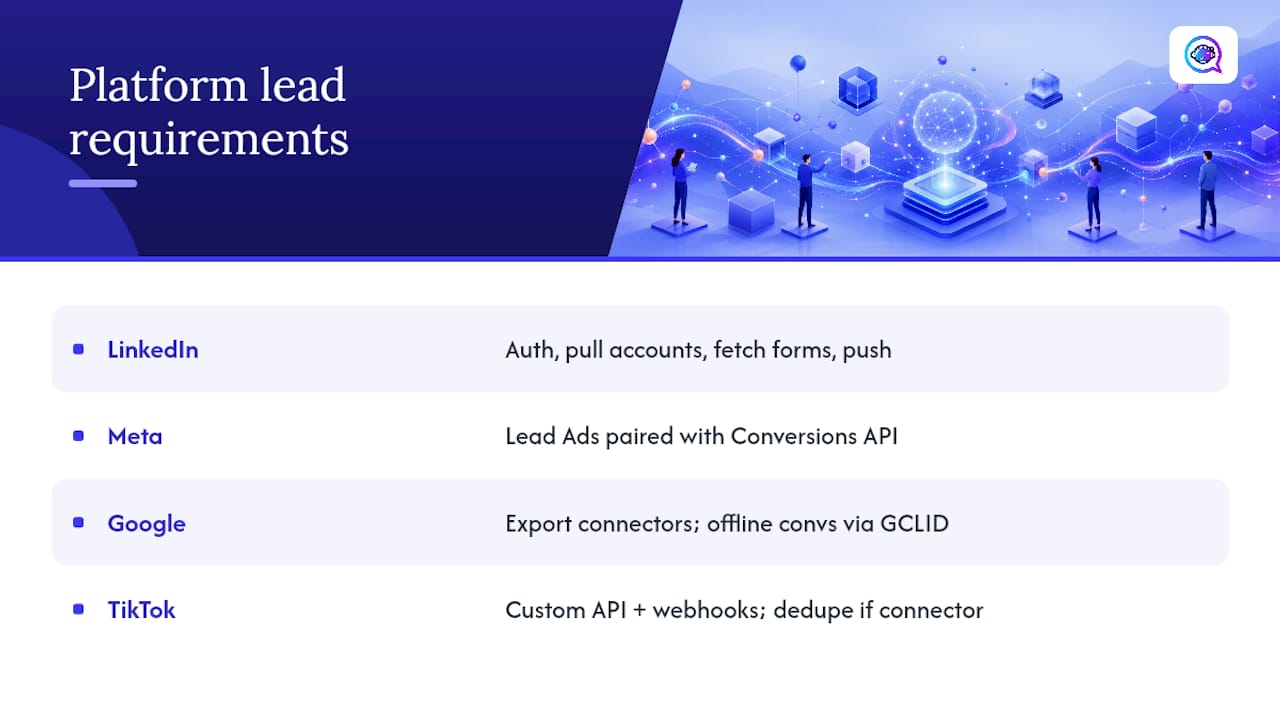
LinkedIn requires you to obtain authorization, pull your ad accounts, fetch your Lead Gen Forms, and register for push notifications before any lead syncs. LinkedIn’s own Lead Sync documentation lays out this exact workflow and recommends either a partner integration or a direct build depending on your resources. For conversion write-back, LinkedIn’s Conversions API supports multiple matching ID types, including hashed email and its first-party tracking UUID, and its attribution windows run up to 180 days, and select events are eligible for 365.
Meta works best when you pair Lead Ads with the Conversions API rather than relying on client-side pixels alone, since cookie degradation keeps eroding that signal.
Google Ads lets you export leads through connectors and import offline conversions using GCLID or enhanced conversions. One constraint catches teams off guard: a single lead form asset supports only one data integration at a time, so plan your routing before connecting a second tool.
TikTok favors its Custom API with webhooks over polling. Practitioner guides on TikTok lead routing recommend webhooks specifically because they let you fire qualified events back on your own timing, though you’ll need to dedupe if a connector is also writing conversions.
Mapping Fields and Routing Leads to the Right Owner
Raw ad payloads rarely match your CRM’s schema out of the box. A LinkedIn Lead Gen Form field like email_address might need to map to Email in your CRM, while job_title maps to a custom Lead_Title__c field, and campaign ID gets stored as a separate metadata column rather than dropped.
Get the mapping and routing logic right in this order:
Map standard fields first (name, email, phone) since these drive deduplication.
Map custom fields second (company size, budget range, service needed) so sales reps see context immediately.
Attach campaign and creative metadata (campaign name, ad ID, form ID) as hidden fields for attribution reporting later.
Set duplicate logic: match on email or phone, and decide whether a repeat lead updates the existing record or creates an activity log entry instead of a new contact.
Build your routing matrix: route by job title for enterprise deals, by territory for local service leads, and by campaign source when you’re testing different offers to different owners.
Pro Tip: Store the raw campaign ID and ad creative ID as separate fields, not concatenated into one string. You’ll thank yourself the first time a campaign audit needs to isolate creative performance from campaign-level spend.
Sending Conversions Back Without Double-Counting
Ad platforms optimize toward whatever signal you feed them. If you never report which leads actually converted, LinkedIn, Meta, and Google keep spending against your original targeting instead of learning from your best customers.
Three write-back methods cover most cases:
Offline conversion import using GCLID for Google Ads, tying a closed deal back to the click that generated it.
Server-side Conversions APIs for Meta and LinkedIn, which report conversions directly from your server rather than relying on browser tracking.
Events API for TikTok, useful when you want to report a qualified lead or booked appointment rather than just a form fill.
Plan around each platform’s attribution window. LinkedIn allows lookback windows up to 180 days, and up to 365 for certain event types, so a lead that converts three months later can still get credited correctly.
The biggest risk in write-back is duplication. Google’s own guidance on offline conversion import recommends a single canonical matching key, like a hashed email or GCLID, plus a dedupe ID, so the same conversion never gets counted twice across a connector and a Conversions API running in parallel.
The Setup Checklist Before You Go Live
Run through this sequence before you call an integration finished:
Confirm API permission scopes and consent capture fields are in place.
Finalize your field mapping plan and routing matrix on paper first.
Register webhooks (not polling) for each ad platform.
Turn on conversion write-back and test with a dummy lead.
Verify delivery latency, field completeness, correct owner assignment, and campaign attribution.
Run a dedupe test by submitting the same lead twice.
Target delivery latency under 5 to 15 minutes from form submission to CRM record. Consistent delays past 10 minutes usually point to a webhook failure or connector outage, not a temporary blip, and that’s your signal to escalate to engineering or your integration partner’s support line. For the CRM side of this handoff, a detailed CRM integration setup guide walks through the field-mapping decisions in more depth.
Fixing the Integration Failures That Actually Happen
Most lead integration failures fall into four buckets, and each has a fast diagnosis.
Rate limits: build retry logic with exponential backoff rather than firing repeated requests the moment a call fails.
Auth and token errors: check token expiration first; most platform tokens need periodic refresh, and an expired token silently drops leads rather than throwing an obvious error.
Missing fields: set fallback values (like “Unknown” for job title) instead of letting a null field break your routing rule.
Consent gaps: log a timestamp and a consent property with every lead record, since a missing consent flag can block downstream marketing automation entirely.
Pro Tip: *Check your webhook logs weekly, not just when someone complains about missing leads.
How an AI Routing Layer Changes the Math
Getting leads into your CRM cleanly solves half the problem. What happens in the first few minutes after that determines whether the lead converts at all.
The gap between “the lead arrived in the CRM” and “someone actually followed up” is where most pipeline value quietly disappears. Integration work only pays off if something on the other end responds fast enough to matter.
Astreaux is built to close that gap. It’s an AI-driven platform designed for service professionals who need lead management and sales conversion handled without a rep having to watch a dashboard all day. It connects with over 7,000 apps, so once your ad platform lead integrations are feeding a CRM, Astreaux can pick up new leads instantly and start a personalized conversation in the business’s own voice. During a trial, track three numbers: time to first reply, appointments booked per week, and lead-to-opportunity rate. Those three tell you whether automation is actually moving pipeline, not just adding another dashboard. Pair this with an automated lead follow-up workflow to see the full response cycle in action.
What Most Teams Get Wrong About Integration Priority
The conventional advice treats ad platform lead integrations as a one-time engineering project: connect the platforms, map the fields, ship it, move on, using tools that capture every enquiry, never miss a lead. That framing misses the actual failure point. Integration setup is the easy 20%. The hard 80% is what happens in the minutes after a lead lands, and that’s the part most teams under-invest in.
I’d argue the industry has this backwards. Teams spend weeks debating direct API versus connector, then let a fresh lead sit in a queue for four hours because no one owns instant response. LinkedIn’s own attribution data allowing lookback windows up to 365 days for certain events exists precisely because platforms know conversions happen slowly, but response speed on your end still determines whether that conversion happens at all.
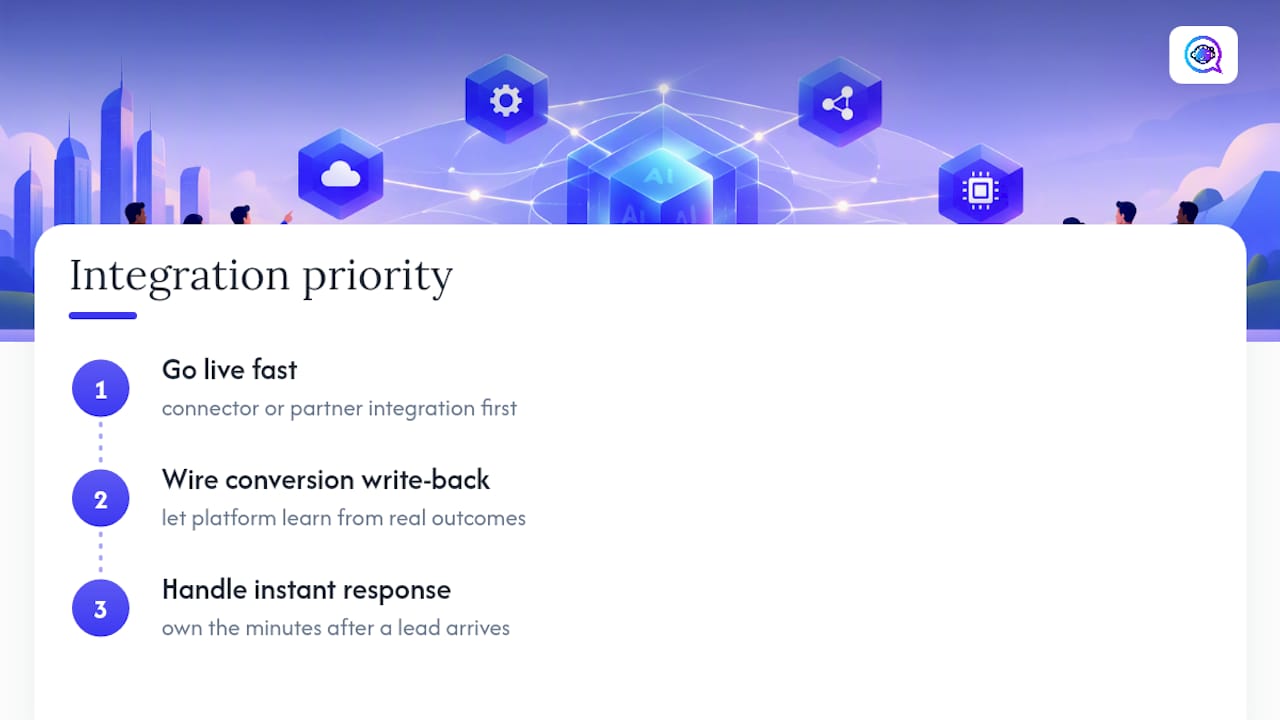
Prioritize in this order: get a connector or partner integration live fast, wire up conversion write-back so the platform learns from real outcomes, and then put real effort into what responds to the lead the moment it arrives. Skip that last step and the cleanest field mapping in the world won’t save a lead that waits half a day for a human reply.
— Jamaal
Try Astreaux: What to Test Before You Commit
Astreaux gives you the automated engagement layer that most ad platform lead integrations still lack on their own. Once your connector or webhook setup delivers a lead into your CRM, Astreaux picks it up immediately and starts a conversation trained to sound like your business, not a generic bot script.

During a trial, put four things to the test: how fast the first reply goes out after a lead hits your system, how easily Astreaux fits into your existing CRM setup, whether webhook delivery holds up under real campaign volume, and how accurately conversions get logged back for attribution. If you’re running lead-heavy campaigns with a lean team, the mobile-focused outreach automation is worth checking specifically for how it handles appointment booking on the go. For a broader look at capturing every source cleanly before automation kicks in, lead source tracking guidance pairs well with this setup. Start a trial on the Astreaux product page and see how first-reply time changes in your first week.
Where to Verify Platform-Specific Behavior
Platform documentation changes faster than any blog post can track, so bookmark the primary sources.
Sources
FAQ
What Is the Best Ad Platform Lead Integration Method?
For most teams, a connector or partner integration is the fastest path to reliable ad platform lead integrations, since it avoids custom development. Add server-side write-back through a Conversions API once you need tighter attribution or higher volume than a connector can handle smoothly.
How Long Should Lead Delivery Take?
Aim for delivery latency under 5 to 15 minutes from form submission to your CRM. Delays consistently past 10 minutes usually mean a webhook or connector issue that needs investigating right away.
Does Astreaux Work With My Existing CRM and Ad Platforms?
Astreaux connects with over 7,000 apps, which covers most CRM and ad platform combinations service businesses already use. Current pricing details are listed directly on the Astreaux site.
How Do I Avoid Double-Counting Conversions?
Use one canonical matching key, such as a hashed email or GCLID, along with a dedupe ID, whenever more than one system writes conversions back to an ad platform. This prevents a connector and a Conversions API from both reporting the same converted lead.
Should I Build Direct API Integrations or Use a Connector?
Direct API integrations give you more control and customization but take longer to build and maintain. Connectors and partner integrations get you live faster with less engineering effort, which makes them the practical starting point for most marketing and sales teams.